

The Transport Layer
The Transport layer of the TCP/IP model lets two endpoints establish end-to-end communication. This communication is built between the endpoints’ IP addresses. As long as Endpoint A can reach Endpoint B’s IP address, the session can stay established until one side closes it or traffic stops long enough that the session times out.
The Transport layer depends on the layers below it (Network, Data Link, and Physical) to actually move data across the network, as discussed in Chapter 1.4 The Layers of the TCP/IP model. Even with that dependency, Transport-layer sessions can tolerate some underlying network problems for a period of time.
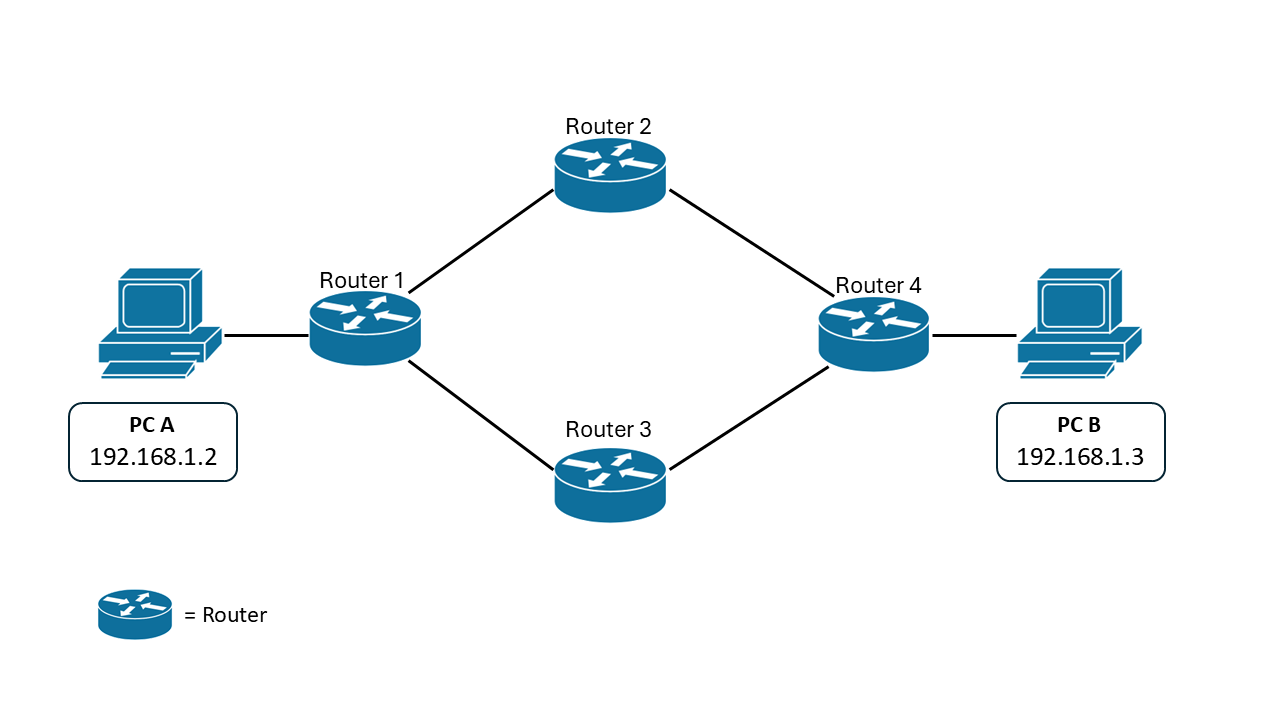
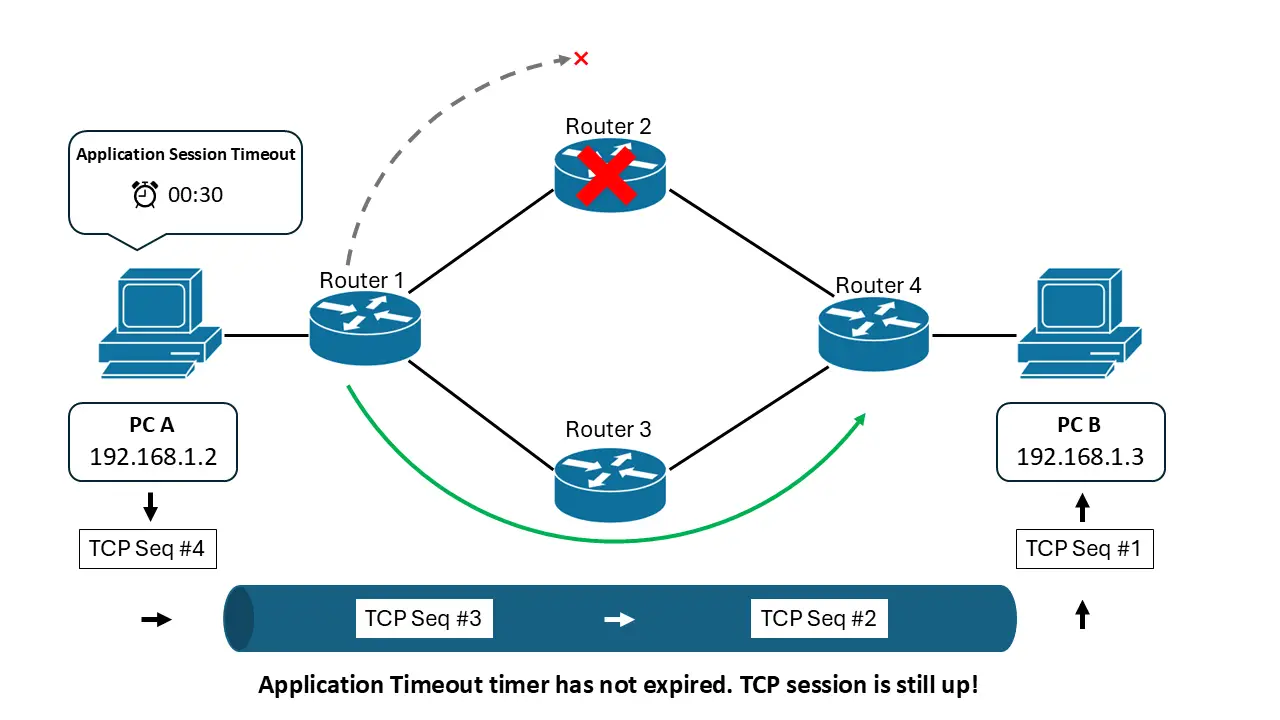
For example, imagine there are 4 routers between PC A and PC B:
If there’s a routing issue along the path - say Router 2 fails - this doesn’t automatically tear down the session between PC A and PC B.
As long as the underlying issue is fixed - or traffic is rerouted - before the application decides the outage has lasted too long (the timeout period), the session can remain up.
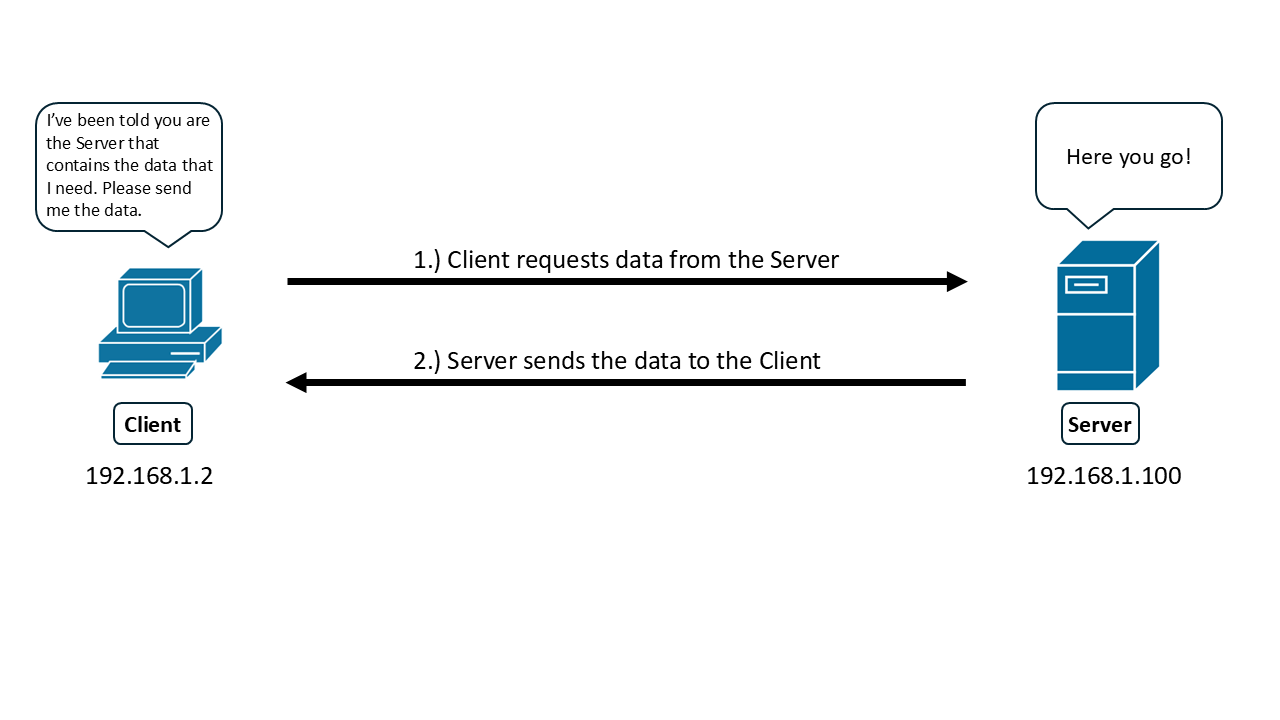
It’s also important to know that common Transport-layer protocols are typically used in a client/server model:
- The client is usually the endpoint that requests and receives data.
- The server is usually the endpoint that hosts the requested data and sends it back.
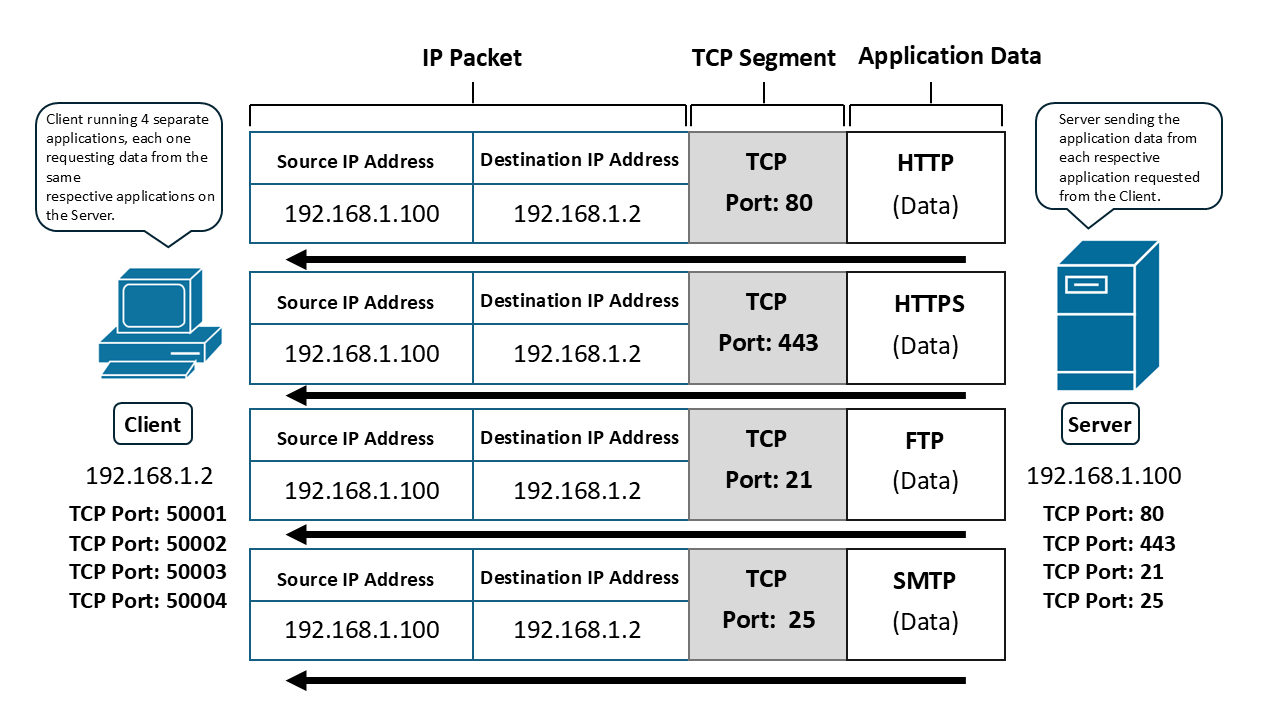
The Transport layer also supports multiple simultaneous conversations between the same endpoints (for example, browsing the web while downloading a file). It does this by using port numbers. A port number identifies which application a particular flow of traffic belongs to.
Each endpoint uses port numbers to keep different application conversations separate, even when they share the same IP addresses.
Port numbers range from 0-65535. Ports 0 - 1023 are called well Known ports and are typically associated with specific applications.
Common port numbers
Here is a list of some very common, well-known port numbers and their associated Transport Layer protocols and applications and that many of you are already familiar with:
Port 80 (TCP):
- Used for unencrypted HTTP (Hypertext Transfer Protocol), the foundation of the World Wide Web. This is the application that web browsers use to display web pages.
Port 443 (TCP):
- Used for HTTPS (Hypertext Transfer Protocol Secure), which leverages “Transport Layer Security” (TLS), (the successor to “Secure Sockets Layer” (SSL)) to encrypt data transmitted between two endpoints
Port 21 (TCP):
- Used for FTP (File Transfer Protocol), which facilitates file transfers between clients and servers.
Port 22 (TCP):
- Used for SSH (Secure Shell), a secure protocol for remote access and terminal emulation and is also used to encrypt FTP transfers as well (which is called SFTP - or “Secure” FTP)
Port 25 (TCP):
- Used for SMTP (Simple Mail Transfer Protocol), which handles outgoing email traffic.
Port 53 (TCP/UDP):
- Used for DNS (Domain Name System), which translates domain names into IP addresses.
These well known port numbers are typically assigned to an application running on an endpoint (usually a server). The server then listens on that port for incoming Transport-layer segments addressed to that port.
Clients, on the other hand, typically use ephemeral ports for their side of a conversation. An ephemeral port is usually any port number from 1024 up to 65535, and it’s typically chosen automatically (often randomly) by the client’s operating system.
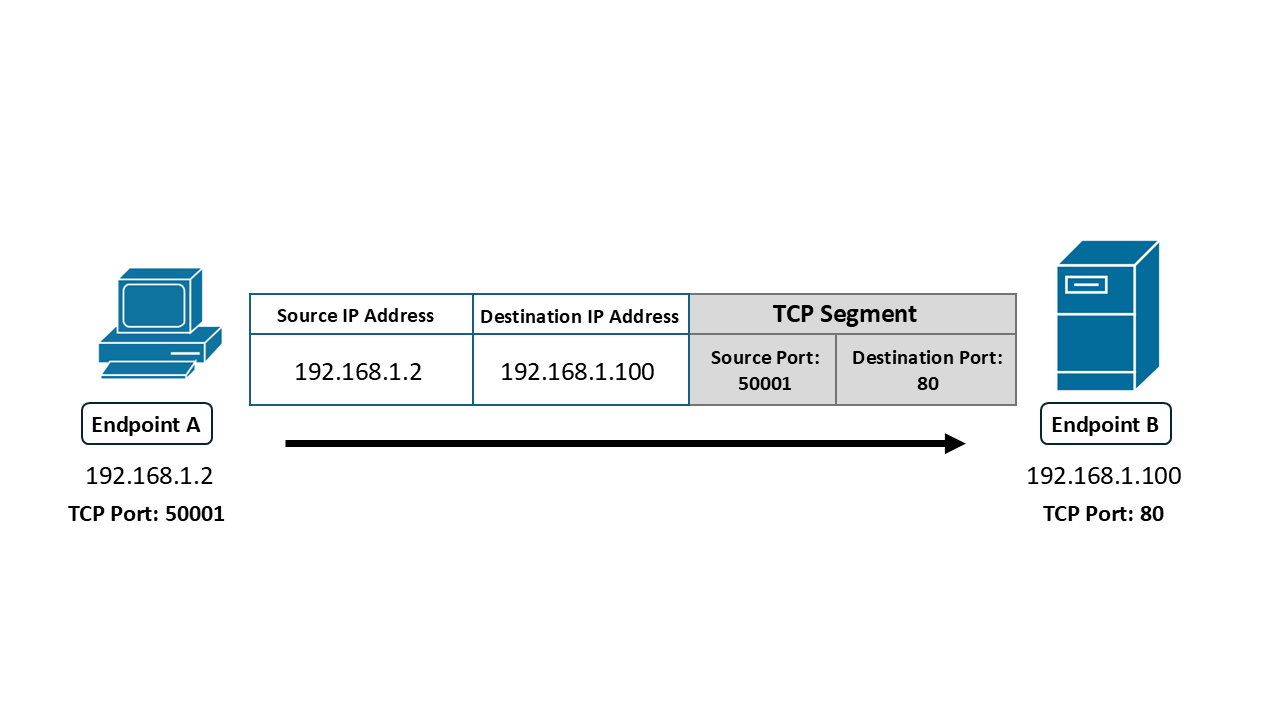
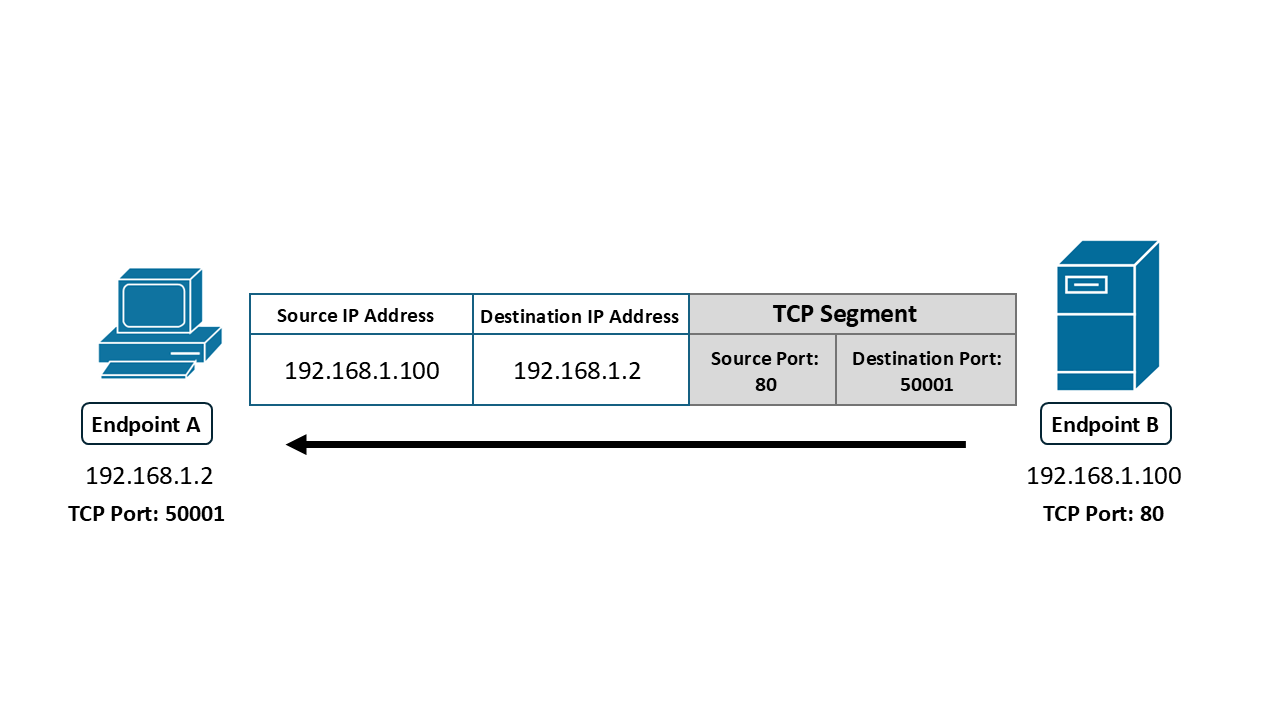
To identify which port belongs to which endpoint, you always look at the segment from the perspective of the sender.
When Endpoint A sends a packet to Endpoint B:
- Endpoint A’s chosen port is the Source Port.
- Endpoint B’s port is the Destination Port (from Endpoint A’s perspective).
When Endpoint B sends traffic back to Endpoint A:
- Endpoint B’s chosen port is the Source Port.
- Endpoint A’s port is the Destination Port.
- communicated between the endpoints before the session is established (when using a session-oriented Transport-layer protocol), or
- already known by the application ahead of time (for example, when a client connects to a well-known server port).
Not all Transport-layer protocols work the same way. The TCP/IP model uses two Transport-layer protocols: TCP (Transmission Control Protocol) and UDP (User Datagram Protocol). We’ll discuss them in more detail in the next chapter.