


Achievable logoAchievable logo
CCNA
Sign in
Sign up
Purchase
Textbook
Practice exams
Support
How it works
Exam catalog
Mountain with a flag at the peak
Textbook
Introduction
1. Introduction to networking
1.1 What is networking?
1.2 Components of a TCP/IP based network
1.3 How devices communicate on a TCP/IP based network
1.4 The layers of the TCP/IP model
1.5 Introduction to the Transport Layer
1.6 Introduction to network architecture
2. Administering Ethernet LANs
3. IP connectivity
4. Network services
5. IPv6
6. Wireless networking
7. Network management and administering network devices
8. Network security fundamentals
9. Network automation and programmability
Wrapping up
Achievable logoAchievable logo
1.3 How devices communicate on a TCP/IP based network
Achievable CCNA
1. Introduction to networking
Our CCNA course is currently in development and is a work-in-progress.

How devices communicate on a TCP/IP based network

2 min read
Font
Discuss
Share
Feedback

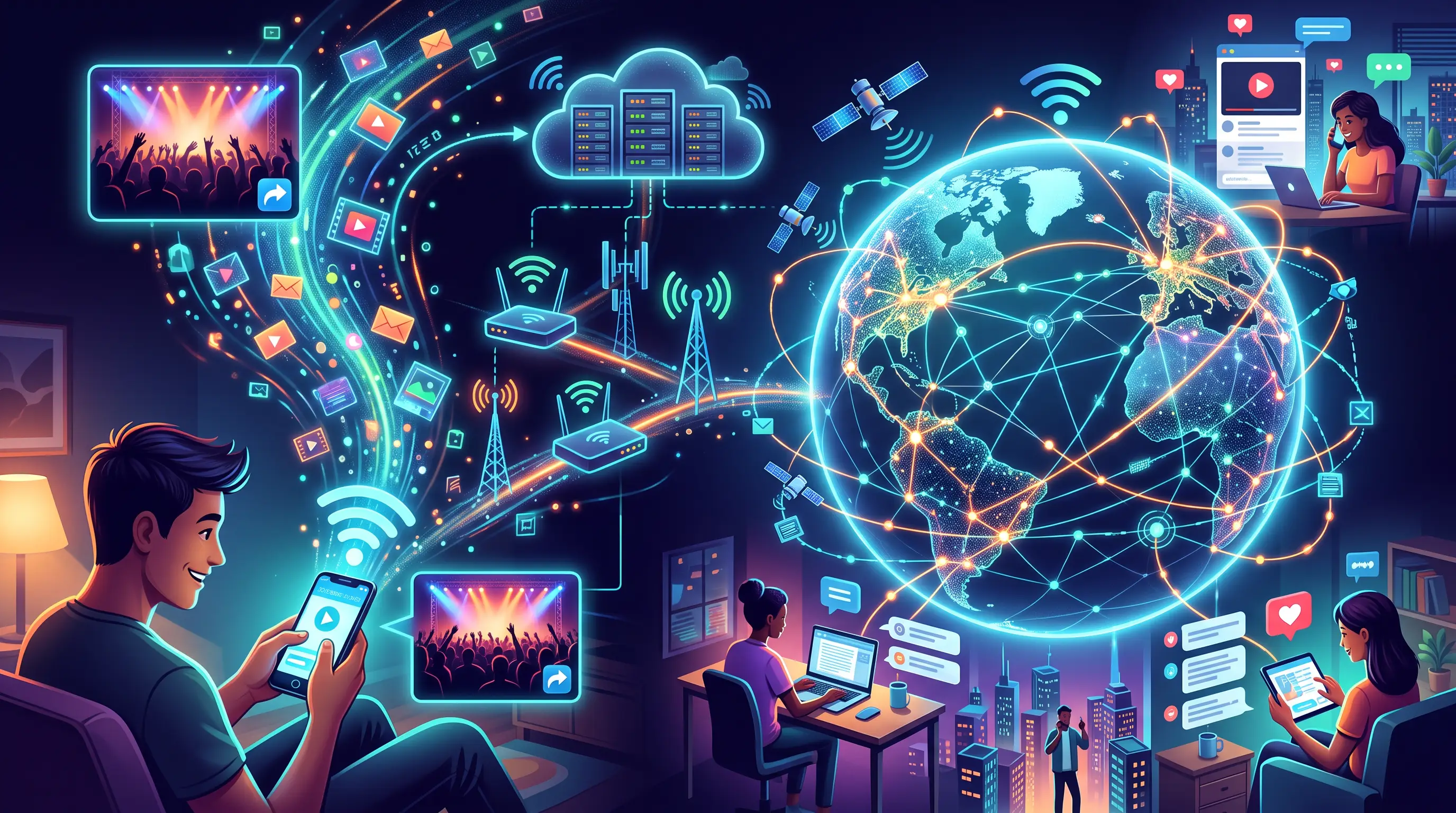
Imagine you’re on your phone or computer and you open a social media app. You see a video your friend posted from what everyone called the biggest concert of the year. Under the video are comments from mutual friends - and from people you’ve never met, from all over the world.

Sharing photos, videos, and thoughts online is so common that it’s easy to forget what’s happening behind the scenes. A useful question to ask is this:

How can someone take a photo on their phone and upload it into a space where people anywhere in the world can view it, comment on it, and discuss it - even if they aren’t in the same place at the same time?

Not long ago, people asked the same kind of question about email:

  • How can you type a message and have someone receive it almost instantly?
  • How does that message travel from your phone or computer to the recipient’s device, even if they’re across the globe?

You can ask the same question about what you’re doing right now: how are you able to access and view the content in this course?

The answer to all of these questions is computer networking. Networking is the set of technologies and rules (called protocols) that let devices and applications exchange data - messages, files, pictures, and videos - over a network.

These technologies and protocols work together underneath the apps you use every day. And the largest network most people use is the Internet.

The Internet is a massive public network made up of interconnected devices such as routers, switches, and servers. When your phone, computer, or a server is connected to the Internet, applications on those devices can send and receive data with other connected devices.

Here’s a practical way to think about it: when you browse the web, you’re viewing content that lives on a web server connected to the Internet. Because that server is online, anyone else connected to the Internet can request and view the same content.

Now that we’ve identified what makes this possible, the next page focuses on how it works.

Computer Networking

  • Enables data exchange between devices and applications
  • Uses technologies and protocols (rules for communication)
  • Supports messages, files, photos, videos sharing

Protocols

  • Define how devices communicate and exchange data
  • Essential for reliable and standardized networking

The Internet

  • Largest public network of interconnected devices
  • Includes routers, switches, servers
  • Allows global data access and sharing

Web Servers

  • Store and deliver web content to users
  • Accessible by any device connected to the Internet

Everyday Applications

  • Social media, email, and online courses rely on networking
  • Data travels instantly across global networks

Sign up for free to take 4 quiz questions on this topic

Previous
Next  | 1.4 The layers of the TCP/IP model
All rights reserved ©2016 - 2026 Achievable, Inc.

How devices communicate on a TCP/IP based network

Imagine you’re on your phone or computer and you open a social media app. You see a video your friend posted from what everyone called the biggest concert of the year. Under the video are comments from mutual friends - and from people you’ve never met, from all over the world.

Sharing photos, videos, and thoughts online is so common that it’s easy to forget what’s happening behind the scenes. A useful question to ask is this:

How can someone take a photo on their phone and upload it into a space where people anywhere in the world can view it, comment on it, and discuss it - even if they aren’t in the same place at the same time?

Not long ago, people asked the same kind of question about email:

  • How can you type a message and have someone receive it almost instantly?
  • How does that message travel from your phone or computer to the recipient’s device, even if they’re across the globe?

You can ask the same question about what you’re doing right now: how are you able to access and view the content in this course?

The answer to all of these questions is computer networking. Networking is the set of technologies and rules (called protocols) that let devices and applications exchange data - messages, files, pictures, and videos - over a network.

These technologies and protocols work together underneath the apps you use every day. And the largest network most people use is the Internet.

The Internet is a massive public network made up of interconnected devices such as routers, switches, and servers. When your phone, computer, or a server is connected to the Internet, applications on those devices can send and receive data with other connected devices.

Here’s a practical way to think about it: when you browse the web, you’re viewing content that lives on a web server connected to the Internet. Because that server is online, anyone else connected to the Internet can request and view the same content.

Now that we’ve identified what makes this possible, the next page focuses on how it works.

Key points

Computer Networking

  • Enables data exchange between devices and applications
  • Uses technologies and protocols (rules for communication)
  • Supports messages, files, photos, videos sharing

Protocols

  • Define how devices communicate and exchange data
  • Essential for reliable and standardized networking

The Internet

  • Largest public network of interconnected devices
  • Includes routers, switches, servers
  • Allows global data access and sharing

Web Servers

  • Store and deliver web content to users
  • Accessible by any device connected to the Internet

Everyday Applications

  • Social media, email, and online courses rely on networking
  • Data travels instantly across global networks

More from Introduction to networking

  • What is networking?
  • Components of a TCP/IP based network
  • The layers of the TCP/IP model