



Domain Name Service (DNS)
In today’s world, many people know how to open a web page in a browser: you type a Uniform Resource Locator (URL), and the page loads. Behind the scenes, your device sends an HTTP “GET” request to a web server asking for the page content, and the server responds with that content.
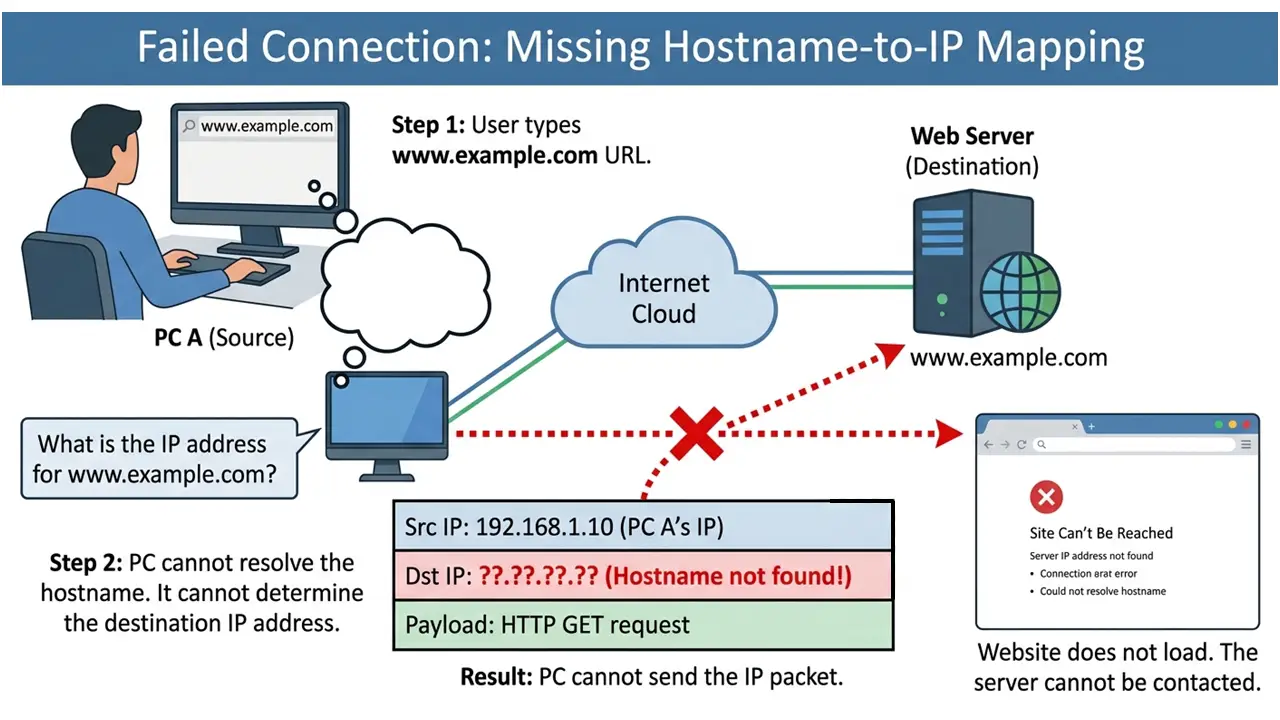
Here’s the key networking idea to keep in mind: on a TCP/IP network, most communication between devices is encapsulated in IP packets.
If application data is carried in an IP packet, that packet must include:
- a source IP address
- a destination IP address
That’s how devices know where to send traffic - using IP addresses.
So if you type a URL into your browser, how does your device learn the IP address of the web server hosting that site? Your computer or mobile device doesn’t know that IP address ahead of time. And if it can’t learn the destination IP address, it can’t send the HTTP request to the correct server - so the website won’t load.
Domain name service (DNS)
The protocol that lets a device learn the IP address associated with a particular URL (domain name) or host name is the Domain Name Service (DNS). DNS is a critical building block of the Internet.
DNS works by using DNS servers that store mappings between domain names and IP addresses.
In practical terms, DNS servers maintain a database of domain-name-to-IP-address mappings. For many common lookups, the relevant entry is stored as an “A Record” (a record that maps a name to an IPv4 address). A system administrator maintains the DNS server’s data.
DNS is also distributed and hierarchical:
- There are many DNS servers across the Internet.
- DNS servers can query other DNS servers when they don’t already have the answer.
- You can use public DNS servers, or you can run an internal DNS server that forwards (piggybacks) queries to a public DNS server when needed.
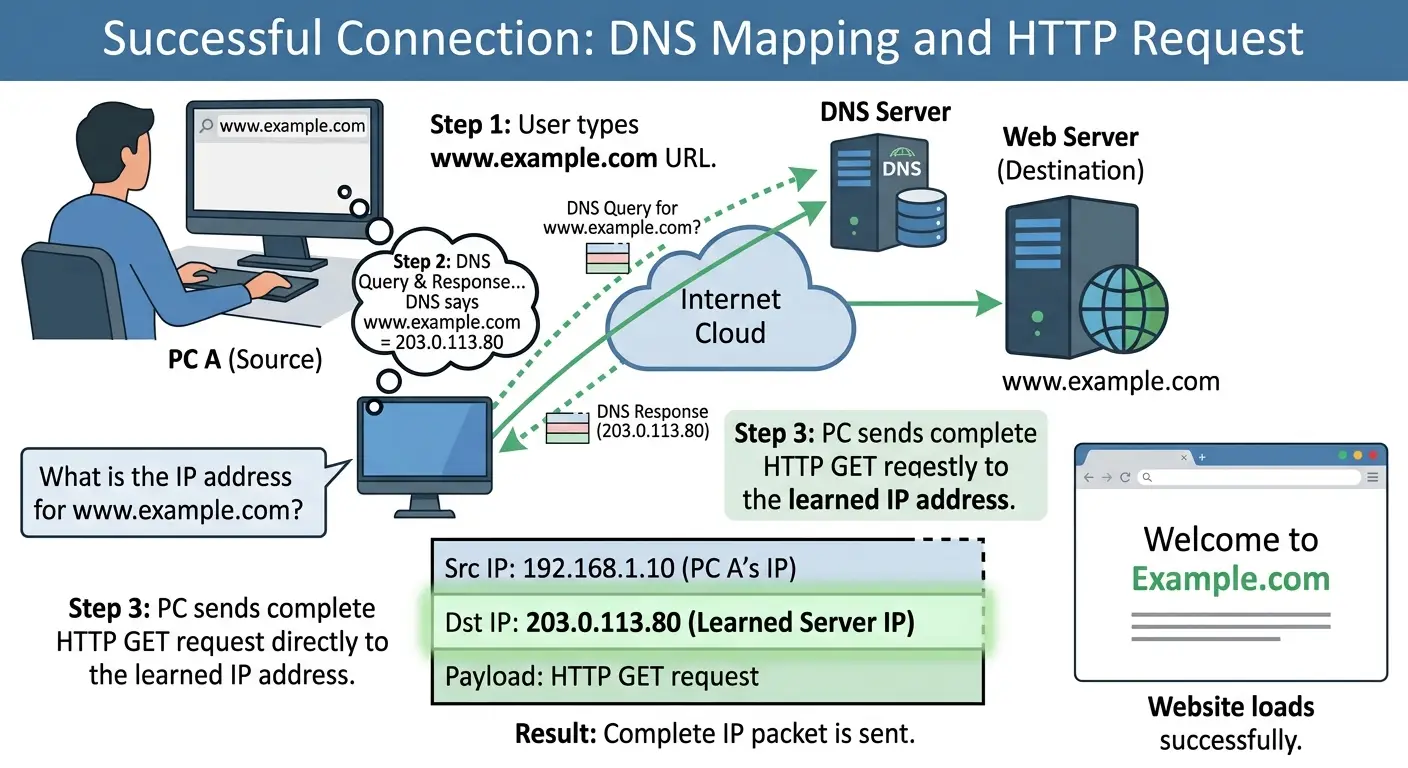
When you enter a URL in your browser, your device must first query a DNS server to retrieve the IP address of the web server hosting the site you’re trying to reach.
- If the DNS server already has the mapping (the “A Record”) in its database, it replies with the associated IP address.
- Only after your device learns that IP address can it communicate directly with the web server and request the web page via HTTP.
It’s also accurate to say that if DNS isn’t working, you won’t be able to access the Internet (properly).