



Application and transaction controls
Learning outcome statements
The learning outcome statements relevant for this section are:
- identify input controls, processing controls, and output controls and describe why each of these controls is necessary
Introduction
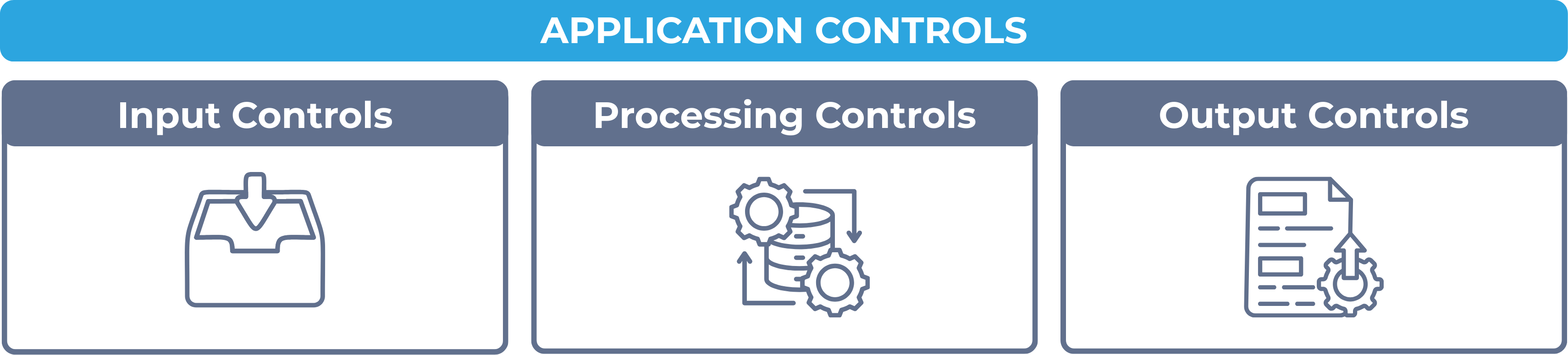
Application controls are typically categorized into three main types:
- Input controls – to ensure the accuracy, completeness, and validity of data entered into the system
- Processing controls – to ensure that data is processed correctly and completely
- Output controls – to ensure that system outputs are accurate, distributed securely, and used appropriately
While application and transaction controls focus on specific transaction flows and individual systems, general controls (discussed in the previous chapter) are broader and support the overall functioning and security of IT environments.
Input Controls
Input controls play a critical role at the front-end of data processing, acting as a first line of defense against data entry errors, omissions, or fraudulent inputs that can compromise the integrity of a system’s output.
Input controls can be both manual and automated, and are tailored to the nature of the input process. They are essential because once incorrect data is entered and accepted by the system, it can be difficult to detect and may affect downstream processing and reporting.
Examples of input controls
- Field validation checks: These ensure that only data of the correct type, length, or format can be entered into each field. For example, a date field may only accept entries in the format “MM/DD/YYYY,” and a numeric field will reject alphabetic characters.
- Pre-numbered forms: These are used to prevent duplicate or missing entries by assigning sequential numbers to documents like invoices or purchase orders. When a sequence is broken, the system or user is alerted to a potential error or omission.
- Drop-down menus and selection lists: Limit input to predefined choices, reducing variability and preventing data entry errors (e.g., selecting from a list of approved departments).
- Edit checks and range checks: Ensure that data falls within logical limits, such as salary inputs being between $30,000 and $300,000, or invoice amounts not being negative.
- Mandatory fields: Require certain fields to be filled out before the form can be submitted, ensuring completeness of data (e.g., account number or transaction date).
- Batch totals and hash totals: Used during batch data entry to confirm totals of numeric data or control totals (e.g., total amount of payroll entries must equal submitted total).
- System access controls for input screens: Restrict who can enter or modify specific types of input data, based on user roles or approval levels.
Why input controls are necessary
- They reduce the risk of erroneous or fraudulent data entering the system.
- They enhance the reliability of downstream processing and financial reporting.
- They promote consistency, accuracy, and accountability within business operations.
Without effective input controls, systems are vulnerable to manipulation, unintentional errors, and data quality issues that can distort decision-making and undermine compliance.
Processing Controls
Processing controls detect and prevent errors during the transformation of input into output, and are essential for maintaining the integrity of system-generated data.
Processing controls operate within both batch and real-time environments and may be automated within software or performed manually. They monitor the flow of data through the system and ensure that the processes function as intended.
Examples of processing controls
- Run-to-run totals: These verify that data totals (e.g., number of transactions or financial amounts) remain consistent from one processing stage to the next.
- Control totals: Predefined totals, such as batch control amounts, are used to verify the accuracy of processed data.
- Sequence checks: Ensure that records are processed in the correct order and that no transactions are missing or duplicated.
- Error detection and correction routines: Automatically identify and flag anomalies or incorrect data for review or correction.
- Recalculation checks: Recompute formulas or logic during processing to verify that calculations are performed correctly.
- Reasonableness checks: Evaluate processed results against expected norms (e.g., gross margins or transaction volumes) to flag anomalies.
- System edit and exception reports: Automatically generated logs that highlight processing issues or exceptions requiring follow-up.
- Audit trails: Record every step of data processing, enabling traceability and accountability.
- System logging and monitoring: Tracks processing times, errors, and resource usage to detect performance or security issues.
- Redundant processing (dual systems): Critical systems may be run in parallel for reconciliation to ensure reliability and accuracy.
Why processing controls are necessary
- They help maintain the accuracy and completeness of data as it is processed.
- They reduce the risk of undetected processing errors or system malfunctions.
- They ensure that business rules and compliance requirements are properly applied.
- They enable timely detection of irregularities that could affect decision-making or financial reporting.
Without adequate processing controls, errors introduced at the input stage may persist or worsen, leading to distorted outputs and operational inefficiencies.
Output controls
Output controls are applied after processing is completed and play a crucial role in ensuring the reliability and security of system-generated reports, documents, and communications.
Examples of output controls
- Reconciliation of output to input totals: Verifies that the number of records and totals in output reports match those from earlier processing stages.
- Distribution controls: Restrict report distribution based on user roles to ensure sensitive information is sent only to authorized recipients.
- Error reporting and exception logs: Flag missing, incomplete, or anomalous output records for investigation.
- Print controls: Limit or restrict who can print reports, often requiring secure login or printer location.
- Electronic output encryption: Ensures that digital files sent via email or other networks are encrypted to protect confidentiality.
- Audit trails for report access: Track who accessed, viewed, or downloaded system outputs.
- Archiving procedures: Ensure that important outputs (e.g., financial statements, regulatory reports) are retained securely and can be retrieved when needed.
- User authentication for system access: Limits who can retrieve or generate outputs based on system credentials.
- Version control of reports: Prevents outdated or incorrect versions of outputs from being used.
Why output controls are necessary
- They ensure the integrity and confidentiality of reports and documents.
- They help prevent the use of incomplete or incorrect data in decision-making.
- They support regulatory compliance through traceability and proper documentation.
- They help protect sensitive data from unauthorized access or misuse.
Without effective output controls, accurate processing may still lead to flawed business decisions or data breaches due to mishandling of final reports or documents.